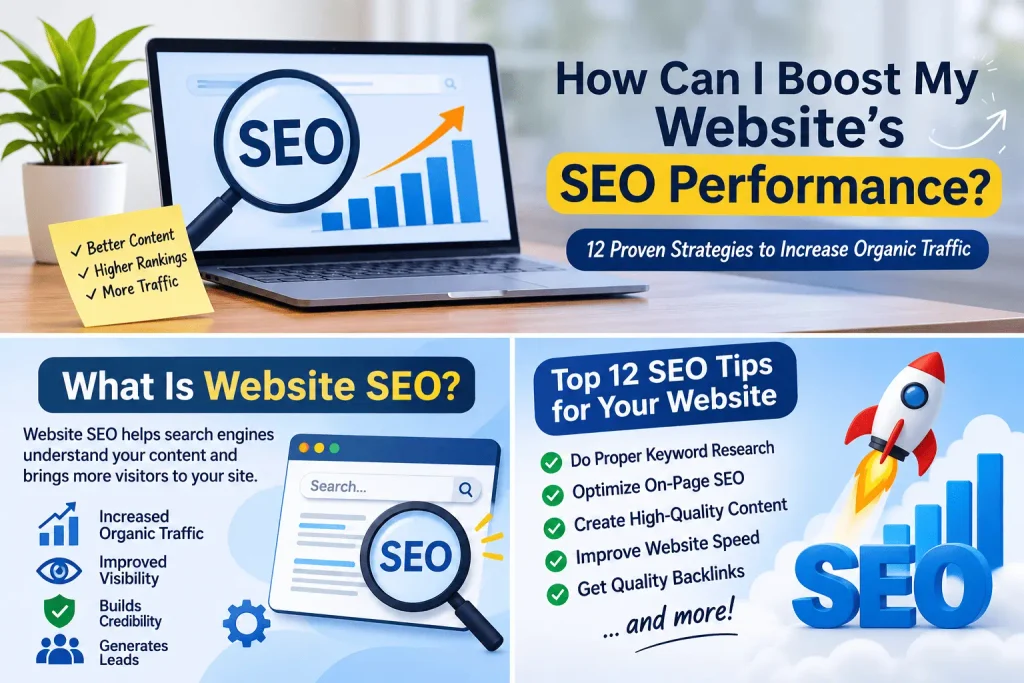
Are you wondering how can I get more traffic to my website and improve SEO in Google? If you have a website or run any kind of online business, it is necessary to get organic traffic because through organic traffic you will be able to enhance the visibility of your brand, generate more leads, and boost your business. But merely having a website and posting content is not sufficient to improve search engine ranking.
SEO (Search Engine Optimization) is the process of improving your website to help search engines understand your content and make it easier for visitors to find and access relevant information.
You don’t need to be an SEO expert to start optimizing your website, How To Boost A Website’s SEO Performance
Following the correct approach would gradually improve the visibility of your website.
Here are 12 ways to improve your website’s SEO through which you would be able to make better improvements on Google.
What Is Website SEO, and Why Does It Matter for Your Online Success?
Website SEO involves optimizing various elements of your site to improve its visibility in search engine results.
When a person searches for something using Google, search engines take into account various parameters and find out which pages are relevant and helpful.
Website SEO helps search engines understand your website while improving the overall user experience.
Here are some of the key benefits of website SEO.
Increased organic traffic: Brings people who are looking for your products/services/information.
Improved online visibility: Makes your site visible for relevant search queries.
Improved credibility: Search visibility and helpful information can make users trust your site more.
Generation of potential leads: Brings you in touch with people interested in your
1. Perform Proper Keyword Research
Keyword research plays an essential role in building an effective SEO strategy.This step helps you understand the types of search queries your target audience uses on Google.
Rather than just picking keywords for the sake of it, pick relevant search terms that relate to your website’s products or services.How To Boost A Website’s SEO Performance
For instance, if you operate a digital marketing website, you could be targeting the following set of keywords:
Digital marketing strategies
SEO tips for beginners
How to improve website SEO
How to increase organic website trafficThere are several keyword research tools such as Google Keyword Planner, Ahrefs, SEMrush, and Ubersuggest among others.
Here are some tips to help you conduct effective keyword research.
Choosing relevant keywords according to your business.
Picking long-tail keywords with unique search intent.
Examining keyword competition and search volume.
Understanding what users expect when they search for specific queries.
Utilizing various keywords in your content.
Picking the right set of keywords will enable you to create content that meets the needs of your target visitors.
2. How On-Page SEO Improves Website Visibility
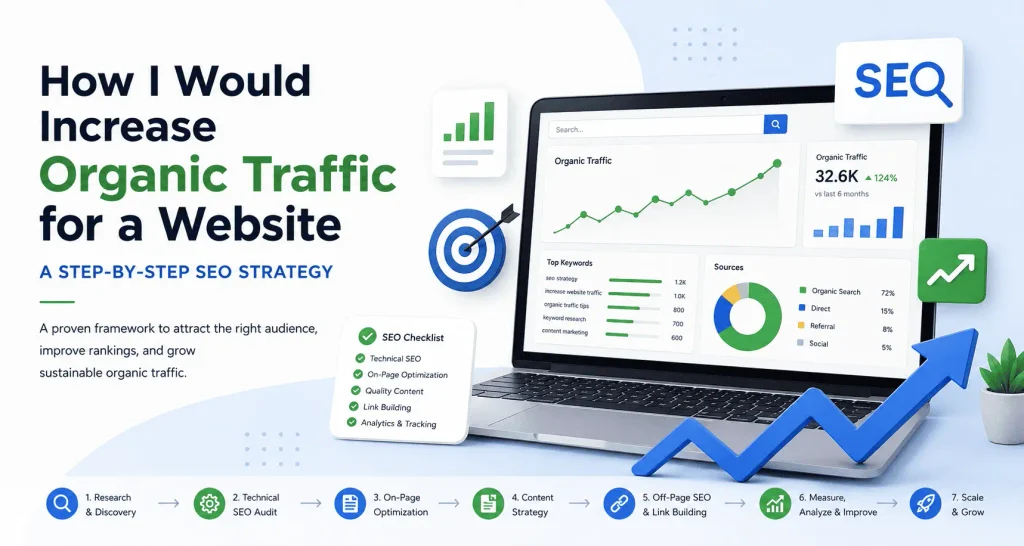
On-page SEO involves optimizing individual pages of your website to help search engines understand their content and purpose.
.Additionally, it enhances the user experience by making your website easier to navigate.
Some key on-page SEO factors are:
Title Tags: Always ensure that each of your important pages has a unique and descriptive title tag. You must include your primary keyword.
Meta Description: Create an appealing meta description of your webpage that will make visitors want to click on it.
Headings: Structure your webpage by creating headings. Use H1, H2, and H3 headings appropriately, including one clear H1 heading and other subheadings.
Keyword Placement: Your primary keyword must appear in critical parts, such as your webpage title, introduction, heading(s), and the body of your page.
Image Optimization: Reduce the size of your images, rename images, and give alternative texts.
For instance, do not use the title “SEO Tips”; rather, use a descriptive title such as “12 SEO Tips for Improving Website Rankings.”
3. Create High-Quality and Helpful Content
Website content plays an essential role in enhancing your website’s SEO performance. It should be helpful, trustworthy, and relevant for the user.
Creating content just to put there some keywords is not enough to rank high.Write about topics that people are genuinely interested in and eager to learn more about.
Is this conversation helpful so far?
For instance, if your keyword is “how can I improve SEO on my website,” your post needs to tell the user how he can do that instead of just using the keyword.
How to create SEO content:
Know the requirements of your audience.
Create unique and useful posts.
Provide answers to common questions.
Offer practical advice and examples.
Use small paragraphs and titles.
Update the old posts regularly.
Add both internal and external links.
There are other types of content you may use like blog posts, tutorials, case studies, guides, and FAQ’s.
Quantity does not matter, but quality.
4. Improve Website Loading Speed
Website speed is essential for delivering a smooth and positive user experience.Your website visitors are likely to go away if your website takes too long to load, especially on mobile devices or low-speed Internet connection.
Website speed can also affect visitors’ ability to interact with your website.
Below are several tips to make your website load faster:
Compress large images but do not sacrifice their quality much.
Use browser caching if applicable.
Optimize CSS and JavaScript that are not needed.
Select a trustworthy website hosting service provider.
Eliminate unnecessary plugins and scripts.
Consider using a CDN service where applicable.
Use Google PageSpeed Insights to analyze your website’s loading time and overall performance.
Is this conversation helpful so far?
Make sure that the following Core Web Vitals of your website are optimized:
LCP (Largest Contentful Paint): Loading performance metric.
INP (Interaction to Next Paint): Responsiveness metric.
CLS (Cumulative Layout Shift): Visual stability metric.
5. Make Your Website Mobile-Friendly
People mostly use smartphones for website browsing, searches, and even buying products from their site.
Therefore, it is important to make sure your website is fully optimized.is mobile-friendly for effective SEO.
Google uses the mobile version of the website content forindexing
and ranking.
Ensure that the site operates well at various screen sizes.
Mobile SEO best practices include:
Using a responsive website design.
Making text easily readable without zooming.
Buttons and links should be easy to tap.
Eliminate intrusive popups.
Optimization of images for mobile devices.
Navigation should be easy.
Your site can be tested for usability across various mobile platforms using Google mobile usability reports.
6. Optimize Your Website’s Technical SEO
Technical SEO enables search engines to efficiently discover, crawl, and index your website.
Even if your website’s content is superb, technical SEO issues may cause important web pages to go unindexed.
Here are the key technical SEO factors you must consider first:
Create an XML sitemap to help search engines discover and index the most important pages on your website.
Make sure your `robots.txt` file allows search engines to crawl all important pages of your website.
Secure your website with an SSL certificate to enable HTTPS encryption and protect user data.
Canonical Tag: Utilize a canonical tag when needed to indicate which page should be considered the primary source of content.
Broken Links: Identify and remove any broken links from your website.
Indexation: Verify the indexing status of your important web pages through Google Search Console.
Technical SEO helps search engines easily crawl, understand, and index your website.
7. Build a Strong Internal Linking Structure
Internal linking is the process of connecting one page on your website to another relevant page within the same website
It will help visitors get more details and it will help the search engine understand the connection between those pages.
If for instance, you have a blog on website SEO then you could create links for other blogs that discuss topics such as keywords research, technical SEO, and content optimization.
Best Practices For Internal Linking:
Use descriptive Anchor Text.
Link Related Blog Posts.
Link Relevant Pages From Other Content.
8. Focus on High-Quality Backlinks
Backlinks are links from other websites that direct users to your website
They help search engines discover and index your web pages while also building your website’s credibility, reputation, and authority.
But all backlinks do not hold the same importance; rather, try to get relevant and quality backlinks than thousands of irrelevant links.
Some of the ways to build backlinks include:
Doing some original research and publishing valuable resources.
Writing guest blog posts on relevant websites.
Network building with the industry professionals.
Creating valuable infographics.
Listing down in the relevant directories.
Sharing content in the relevant community.
Never try to buy any manipulative backlinks, as they are against the Google spam policies.
9. Optimize Images for SEO
Images enhance your website’s visual appeal and make your content more engaging and attractive to visitors. But unoptimized images will make your website slow and inaccessible.
Technical SEO enables search engines to efficiently crawl, understand, and index your website.
Here are some image optimization best practices:
Give your image a relevant filename.
Include appropriate alt text.
Reduce the size of your images before uploading.
Use the appropriate format like WebP and AVIF.
Use responsive images when required.
Don’t have big image sizes.
For instance, don’t use “IMG12345.jpg”; rather, use something like “website-seo-optimization-tips.jpg.”
Alt text is used to describe the content and appearance of an image.
10. Use Google Search Console and Google Analytics
To identify areas for improvement, you first need to measure your website’s performance. Tools like Google Search Console and Google Analytics can help you track and analyze important metrics.
Google Search Console allows you to track and evaluate the following essential website performance metrics.
Search impressions and clicks.
Average search position.
Keywords that bring traffic to your website.
Website indexing and crawling issues.
Status of your sitemap.
Website issues related to searches.
Google Analytics 4 (GA4) will allow you to learn about:
Sources of traffic to your website.
How engaged the visitors are.
Performance of your landing pages.
Users’ interactions.
Conversions and key actions related to business.
11. Optimize Website Speed for a Better User Experience
User experience (UX) design is yet another essential element when developing a successful website.
The visitor must easily locate relevant information without being hindered by complicated navigation or distractions.
A good user experience drives users to browse more of your site and engage with your business.
Here are some UX design enhancements you can consider:
Provide clear navigation bars.
Choose legible fonts with proper spacing.
Place important information in easy-to-access locations.
Offer clear call-to-action buttons.
Do not include disruptive ads and popups.
Group your content into appropriate categories.
Make sure that all essential elements of the website function correctly.
Like SEO, success is not just about driving traffic to your website; it’s about achieving meaningful results.
12. Regularly Update and Improve Existing Content
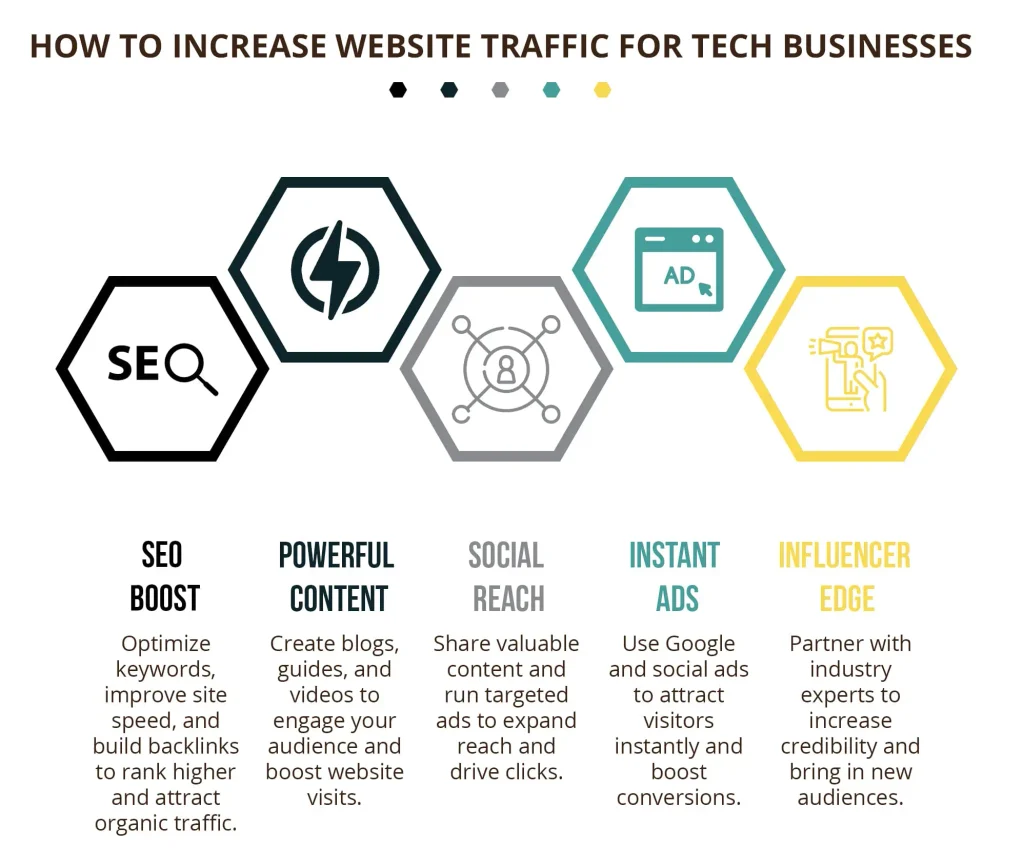
Whilst it’s great to create new content for a blog, it also helps to improve old content.
Over time old content can become outdated, links can be broken and competitors can post more detailed resources.
Review your current website pages and identify areas for improvement.
Optimization:
Update any old stats and information
Fix any broken links
Add examples
Make sure headings are clear and readable
Add helpful links
Add any extra questions they may have
Update images if needed
Delete irrelevant or duplicated information
Use Google Search Console to find pages with impressions but few clicks or falling search performance.
Improving old content can help keep it relevant and helpful.
Common SEO Mistakes to Avoid!
Avoid common mistakes when trying to improve your websites SEO.
Keyword stuffing – Overstuffing with keywords.
Duplicate content – Copying content and publishing.
Poor Mobile Optimization – The website is not properly optimized for smartphones, resulting in a poor mobile user experience.
Purchasing spammy links – Using manipulative link building tactics.
Low quality content – Not creating content to help users.
Not looking at technical issues – Not keeping track of indexing, broken links and crawling issues.
Expecting quick results – SEO takes time and constant improvement
Common SEO Mistakes You Should Avoid
Avoid these common SEO mistakes:
Keyword stuffing – Overstuffing your content.
Duplicate content – Sharing duplicate or near duplicate content.
Not optimising for mobile – Website that doesn’t perform well on smartphones.
Purchasing spammy backlinks – Manipulating links.
Low quality content – Writing articles that don’t provide anything of value to your users.
Technical issues – Not keeping an eye on problems such as indexing, broken links and crawling issues.
Wanting quick results – SEO is an ongoing process.
By avoiding these common mistakes you will be able to create a more sustainable SEO strategy.
How Long Does It Take to Improve Website SEO?
SEO isn’t an instant fix, results typically won’t be seen immediately.
Depending on the age of your site, how much competition there is, how good your content and technical set up is and how many backlinks you have, this can vary.
You may see some improvements quickly but other improvements will take a few months or more.
Always keep an eye on the organic clicks, impressions, keywords, engagement and conversions.
Consistency is key!
internal linking is the process of connecting one page on your website to another relevant apage within the same website
It will help visitors get more details and it will help the search engine understand the connection between those pages.
If for instance, you have a blog on website SEO then you could create links for other blogs that discuss topics such as keywords research, technical SEO, and content optimization.
Best Practices For Internal Linking:
Use descriptive Anchor Text.
Link Related Blog Posts.
Link Relevant Pages From Other Content.
Conclusion
So how can we improve SEO on our website? By using effective keyword research, good quality content, on-page SEO, technical SEO, mobile friendly elements, internal links and tracking performance.
We don’t necessarily have to do all of these things at once. Instead we should start by identifying the main issues and then begin to improve them.
By focusing on creating useful content that provides a great experience for users, as well as following best practice we can improve our websites visibility within search. This will give us more organic traffic and increase our online presence.
Successful SEO is not trying to deceive search engines but making it easier for your target audience to find valuable information on your website.